There is a bare minimum that an emulator needs to achieve, and that is to play the games from another system on this new one. CrankBoy lets you play your Game Boy ROM files on the Playdate. And if it did that and nothing else, it’d already be a monumental achievement. However, it does so much more. It has save states, and a rewind feature, and variable frame rates. It converts every Game Boy Color game I tried to a dithered, black-and-white version that still somehow looks pretty great on the screen. (The official word is that not all GBC games work, but I didn’t find a single one that wouldn’t boot up.) It even lets you make your Playdate do that screen-smearing thing that old Game Boy games did when things moved too fast on the screen. But, come on, you don’t really want to do that — it’s not like it’s a CRT filter. But you can.
First released for free on GitHub and later on Catalog with four included games for the paltry sum of $10, CrankBoy effectively expands your potential Playdate game library by 2,000+ GB/GBC games (and that’s just the official releases). Did you know that (especially with the help of easy-to-use tools like GB Studio) there’s a thriving Game Boy homebrew scene in 2026? Look on Itch and you’ll find tons of brand new Game Boy and Game Boy Color games waiting for you, all for just a few bucks. Original Game Boy hardware, however, is 40 years old, and if you don’t have the technical know-how to maintain it (or are able to pay a premium for someone who does), then there’s a very real chance you don’t have the original handheld sitting on your shelf. Also, maybe they’re being hoarded by people that have a few Game Boys, an Advance, an SP, an Analogue Pocket, and a couple Super Game Boys (I’m sorry!).
Getting your ROMs onto your Playdate is not quite as simple as sideloading a .pdx file on your phone to the Playdate website and then having it automatically download while your Playdate is in sleep mode, but it’s pretty close! You can do the fancy, technical data disk method, or you can use the CrankBoy Manager desktop app, which makes it as simple as dragging and dropping files onto your USB-connected Playdate. I was able to move something like 60 games onto it with just a few clicks, and it automatically downloaded cover art for most of them, too. It took maybe 15 minutes to transfer that many at once, but compared to the Playdate’s normal download speed over WiFi? Practically instantaneous.
The Playdate doesn’t have as many buttons as the Game Boy, but Start and Select are handled by turning the crank one way or the other. It sounds kind of weird but I quickly got used to it, and even a Select-heavy audio program like LSDJ works great. (Also, sidenote: it knew that LSDJ needed very precise audio timing so auto-applied the recommended settings to make it work best. And the sound system on the Playdate is incredible, too; have you heard this thing?)
There are tons of settings to make your game work smoothly, and each one lets you know the pros and cons of activating it. The only one that made things feel a little less than the “full Game Boy experience” for me was the setting that compresses every third line of pixels to match the Game Boy’s resolution. You can adjust which line to compress. It can make some of the text in an old RPG look a bit squished, but then when I tried the same game on my original Game Boy, get this: that’s just how text looks on the Game Boy sometimes. It’s amazing we got the games we got on that thing from the 80’s. I actually got exactly what was promised.
I resisted emulation for so long, and a big reason was that all the best emulators were on the PC. I’m not a PC gamer. I like to sit on the couch or have my handheld and I need real buttons – pushing on my phone screen just doesn’t feel right. Now that we’re in the era of FPGA emulation and Retroid handhelds and AYN Thors, we can get games that work better than they did on original hardware. And you can patch games to make them completely new experiences, and slowdown can be decreased or eliminated, and the improved screens will let you appreciate how these games looked in a whole new way. CrankBoy lets you patch the game from right within the program, and you can even download some new free homebrew games directly from the app.
I just… can’t say enough nice things about CrankBoy. And I wasn’t even going to buy it at first because it was $10 on Catalog and sideloading from GitHub seemed like more trouble than it’s worth. But it’s like adding a second monitor to your work-from-home setup — it changes the game (literally) in ways you could’ve never expected, and you can’t go back. The Playdate is basically the size of a Game Boy cartridge, and this program opens up the entire Game Boy (and most of the Game Boy Color) library to a whole new generation of 40-year-old Playdate owners. There are smaller Game Boy-capable emulation machines, sure, but only barely, and they don’t have a crank. The Playdate is the perfect size, the screen looks amazing, and the extra bells and whistles of CrankBoy mean that you’re going to discover a new favorite Game Boy game. And the Game Boy Color emulation is still in testing, but the only problem I ever had with it was that Wario’s pants are the same color as the background. I can deal with that if it means I can fit an entire Game Boy AND Playdate library in my pocket.
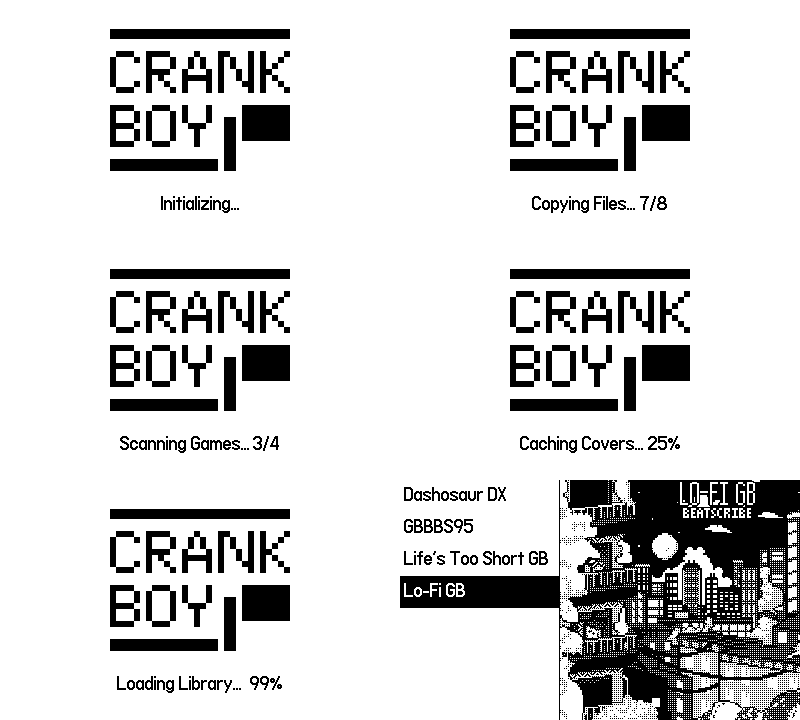
The Catalog version includes: Life’s Too Short GB, Dashosaur DX, GBBBS95, and music album Lo-Fi GB. But that is just the start. CrankBoy unlocks a whole new world on the Playdate once thought impossible. Oh, and I didn’t even mention that if you make a Playdate-ready Game Boy game, you can add crank capabilities to it, including patching crank controls into currently existing games. What a world!
(Released v1.0.0 on July 25, 2025, on GitHub (with continued updates since then). The “four games included, automatic updates” Catalog version released May 7, 2026. Copy provided by developer.)